


Get my system design playbook for FREE on newsletter signup:
This post outlines how webhooks work. You will find references at the bottom of this page if you want to go deeper.
Share this post & I'll send you some rewards for the referrals.
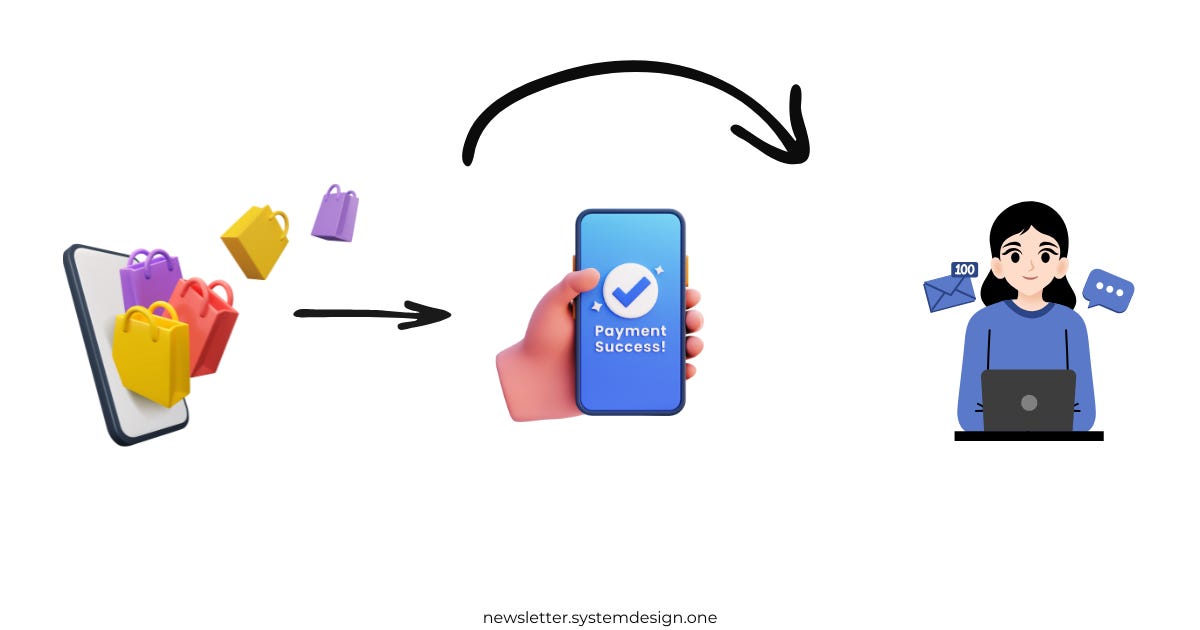
Once upon a time, there was an e-commerce store.
They used an external payment service to handle orders.
It means the payment service processes a payment first.
And only after that, the store sends a confirmation email to the customer.
Yet they had only a tiny number of customers.
So they checked for new payments every hour through HTTP polling.
Imagine polling as repeatedly asking a server for updates.
But one day, their store became extremely popular because of a limited flash sale.
And they received a massive number of orders in a short period.
Although explosive growth is a good problem to have, they sent email notifications to customers extremely late because of delays in polling.
It was frustrating.
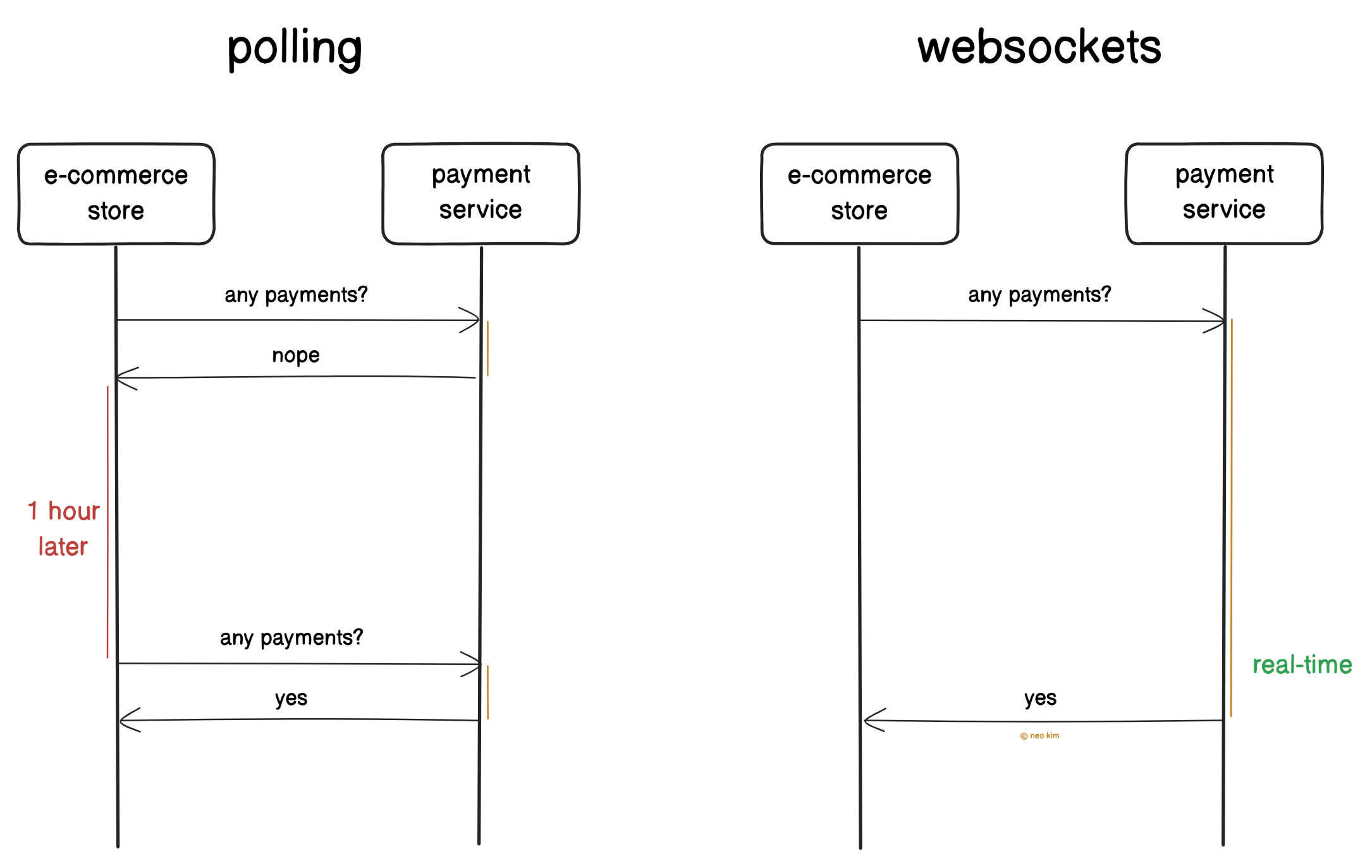
So they set up websockets.
Think of the websockets as a way for the client and server to communicate in real-time, in both directions.
But it needs extra work because of connection management, server scaling, and monitoring. Thus increasing the operational efforts and resource usage.
They wanted a simple way to solve this problem.
So they set up webhooks.
Imagine webhooks as a way of sending messages to an external service when specific events happen.
Onward.
Ship faster, with context-aware AI that speaks your language - Sponsor
Augment Code is the only AI coding agent built for real engineering teams.
It understands your codebase—across 10M+ lines, 10k+ files, and every repo in your stack—so it can actually help: writing functions, fixing CI issues, triaging incidents, and reviewing PRs.
All from your IDE or terminal. No vibes. Just progress.
How Do Webhooks Work
Let’s dive in:
1. Webhook Components
A webhook isn’t a protocol, but a communication pattern.
It has 3 parts:
Sender: The system where the event happens (external payment service)
Event: The action that occurred (payment completion)
Receiver: The system that needs to know about the event (e-commerce store)
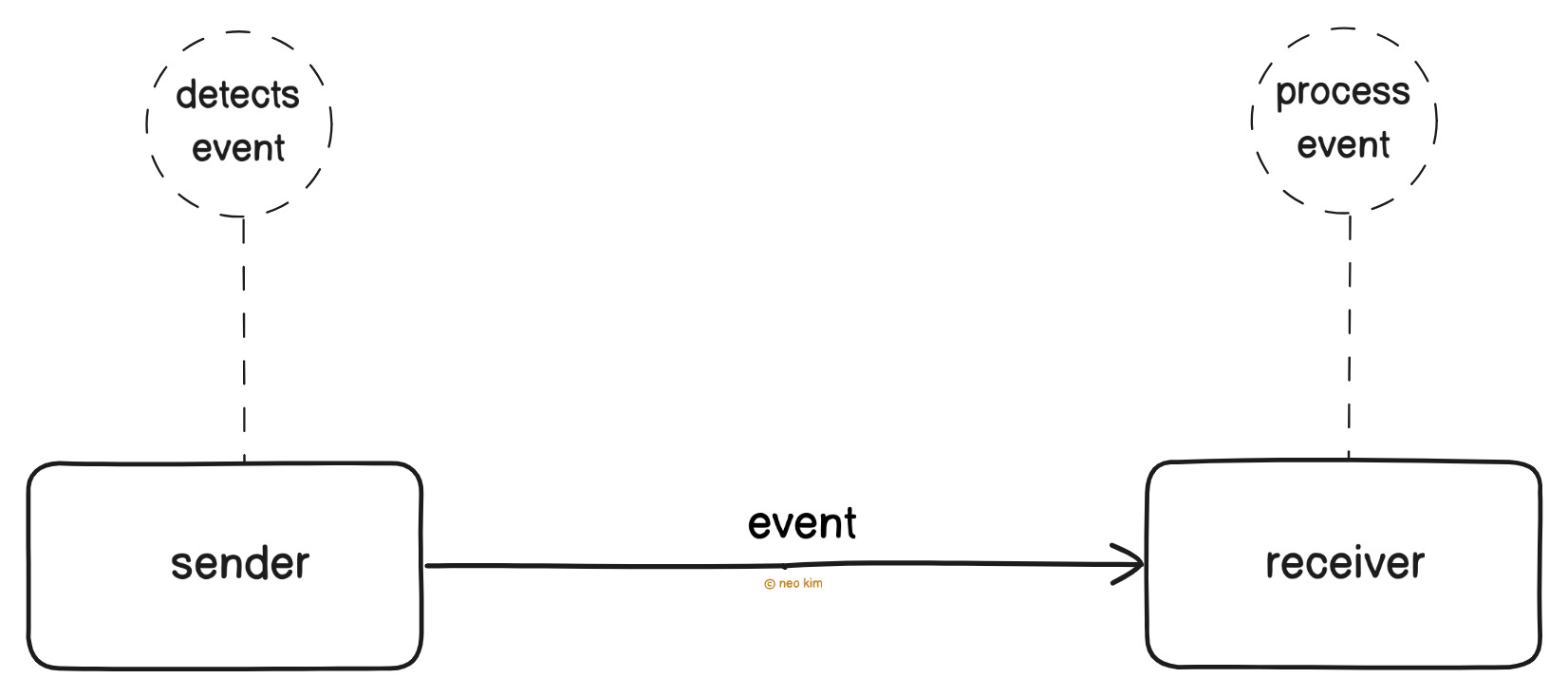
The external payment service sends an event to the e-commerce store when the customer makes a successful payment.
And the e-commerce store then sends a confirmation email to the customer.
Ready for the best part?
2. Webhook Workflow
They set up a separate API endpoint on the e-commerce store to handle webhook events. And registered its URL with the payment service.
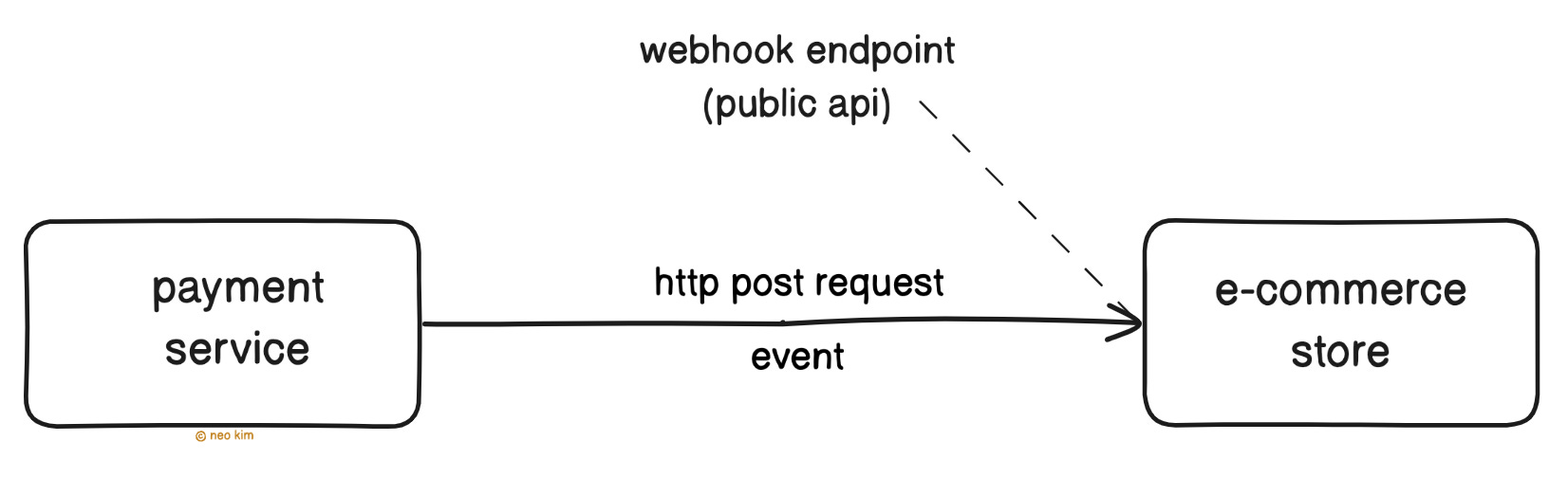
Here’s the webhook workflow:
The user tries to buy something from the store
The user then gets sent to the payment service
The payment service creates a webhook event upon successful payment
The payment service sends an HTTP POST request to the store’s webhook URL
The store validates the payment and emails the customer to confirm the purchase
Also the store notifies the customer in case the payment is invalid.
Webhooks let systems communicate in real time via HTTP.
Yet there’s a risk of fake data or spam reaching the webhook endpoint as it’s a public API. So it’s necessary to set up extra security using signature verification for safety.
Besides an event delivery could fail because of network issues. Because of this, it’s necessary to retry with exponential backoff until it succeeds.
But a retry might cause duplicate action, such as emailing the customer twice. So it’s necessary to set up the webhook API endpoint with idempotency.
Subscribe to get simplified case studies delivered straight to your inbox:

Want to advertise in this newsletter? 📰
If your company wants to reach a 165K+ tech audience, advertise with me.
Thank you for supporting this newsletter. Consider sharing this post with your friends and get rewards. Y’all are the best.


References
Block diagrams created with Eraser
I was always being confused about it but now it's quite clear. Thanks for your article.
Explained with quite interesting example <3