


Download my system design playbook for FREE on newsletter signup:
I’m partnering with Graphite on this post. (I’ve wanted to write about stacked diffs anyway.)
Share & I'll send you some rewards for the referrals.
Let’s go.
What Is a Stacked Diff? (The Simple Answer)
Stacked diffs are a type of code review workflow.
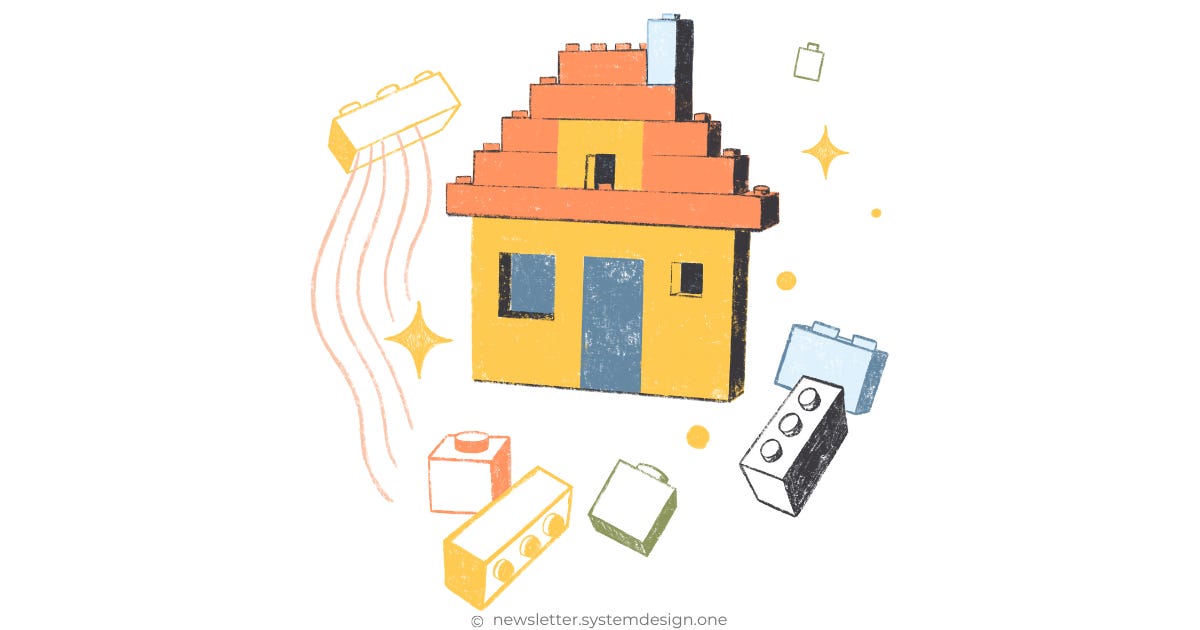
Imagine you’re building a house with LEGO. Instead of assembling the whole thing at once, you build it layer by layer.
First, you assemble the foundation. Then you add the walls, roof, and so on. Each part builds on the one before it. You can keep adding new LEGO layers while the lower ones are still being checked by someone.
Stacked diffs work the same way for code. Instead of making one big change all at once, you create a set of small changes, each built on the previous one. The reviewer can check each change on its own while you keep working on the rest.
This makes your work easier to review, understand, and improve.
Let’s Start With the Pull Request Workflow
What’s a pull request workflow? Think of it as asking someone to review your code before merging into the main branch. This increases the code quality.
Here’s how I’d do it:
Create a feature branch
Commit my code changes to that branch
Open a pull request for review
Then I wait for approval
After approval, I merge onto the main branch
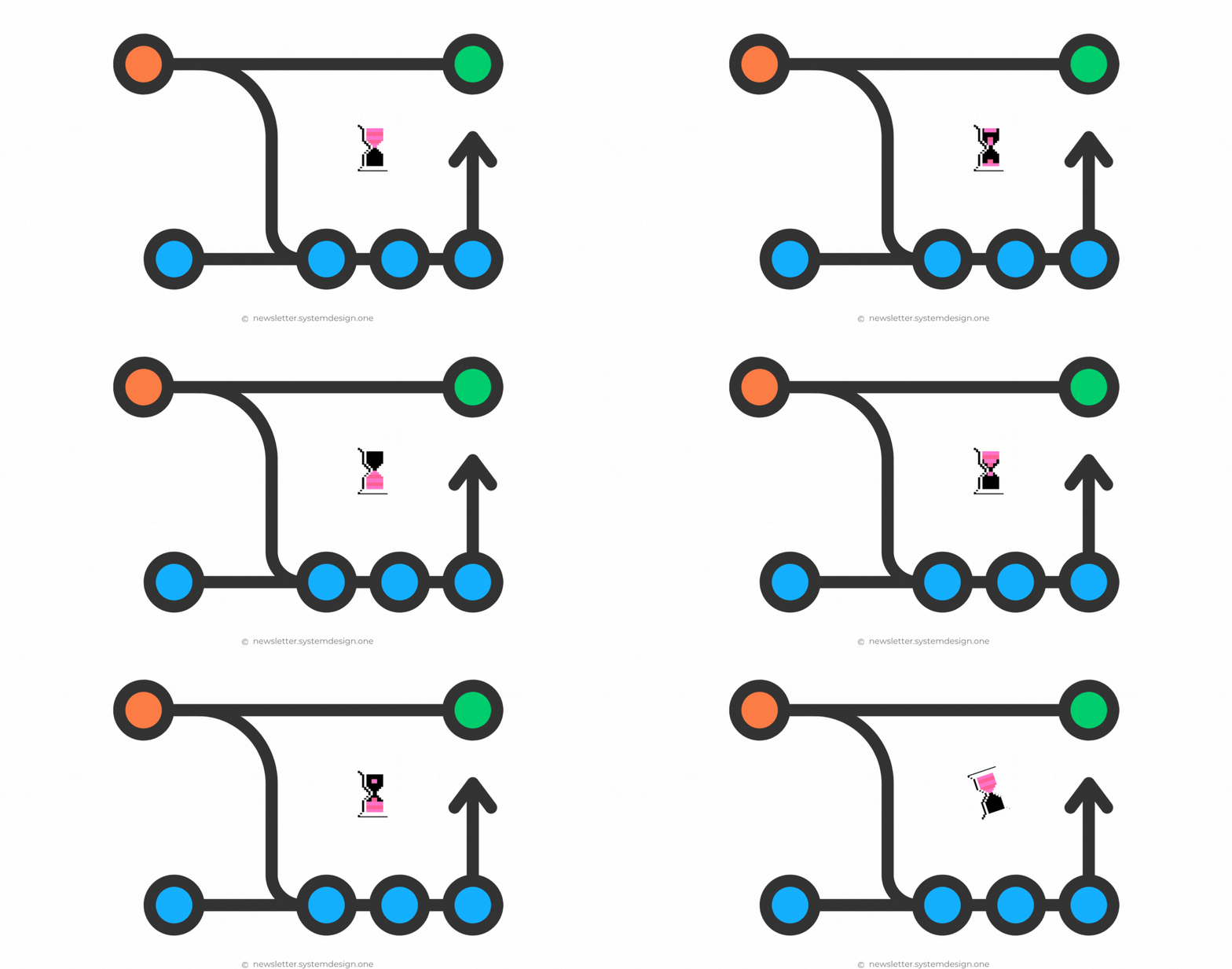
See how each feature branch1 becomes a UNIT of code review? That’s pull request workflow!
Put simply, a pull request is a branch with many commits. And every pull request represents a feature.
So Why Do We Need Stacked Diffs?
Although the pull request workflow is simple, it slows you down:
You wait for code reviews on big pull requests, which can stall progress.
Waste time by switching between branches for unrelated tasks. (Even if changes don’t conflict.)
Rebase2 endlessly on dependent pull requests when changes are being made during review.
Plus, squashing3 big pull requests can lower the commit history quality with vague commits4. Thus making code maintenance difficult5.
Besides engineers take the shortest path possible.
With a pull request workflow, putting unrelated changes into a big pull request is easier. And this creates a low-quality commit history.
But with stacked diffs, by default, you make small changes. This makes reviews easier and code quality better.
Real-World Example: New Feature
With stacked diffs, the UNIT of review isn’t a branch, but a single commit.
Imagine you’re developing a new feature.
Instead of one big pull request with 1000 lines of code, you break it down into smaller diffs:
Boilerplate code → 500 lines
Business logic → 350 lines
Edge cases → 150 lines
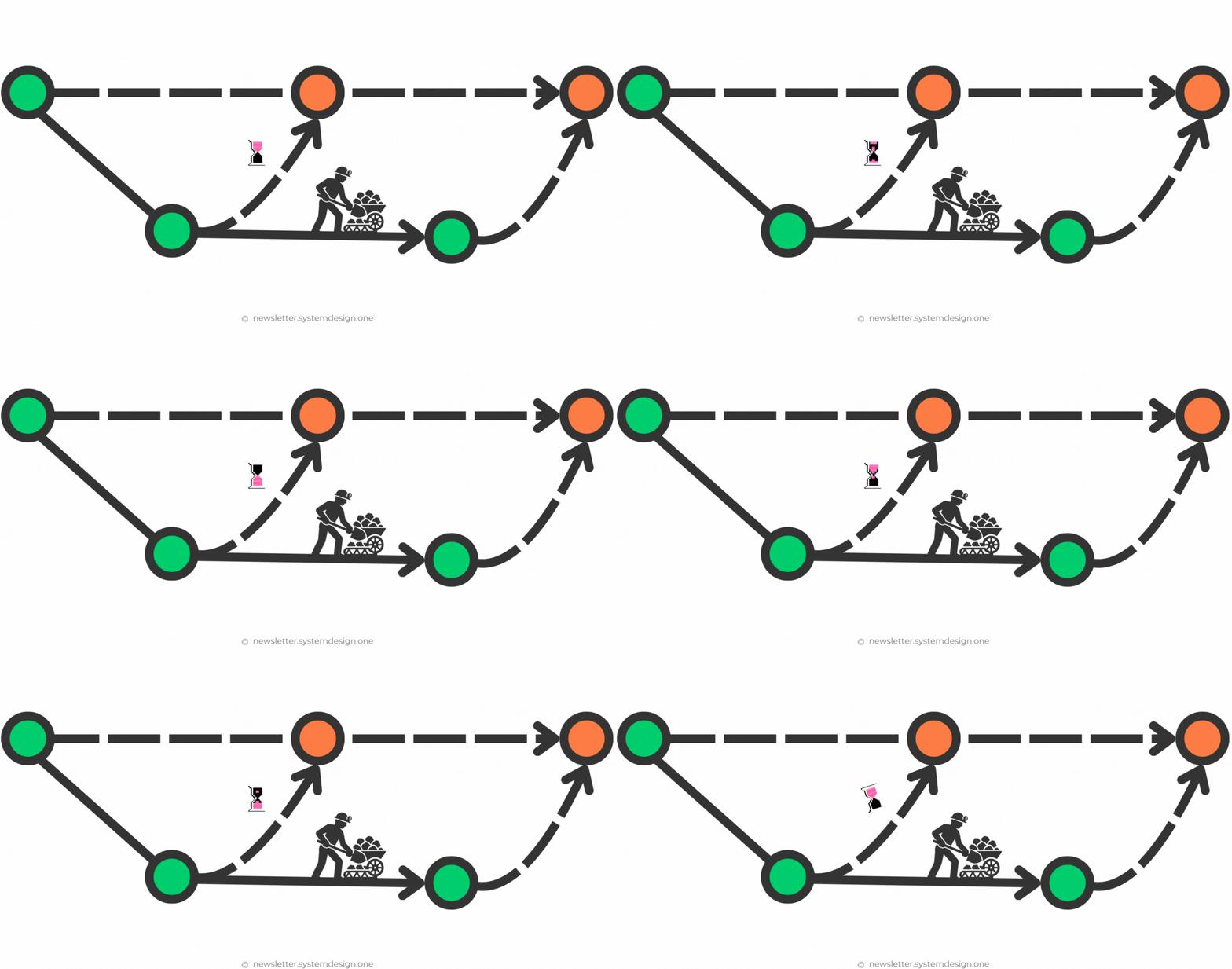
Here’s how you’d do it:
Stay on the main branch.
Add boilerplate code in the first diff.
Request a review for that diff.
Add business logic in the next diff.
Submit that diff too for review.
Then add edge cases as another diff.
Submit that diff as well for review.
Merge each diff independently as feedback comes in.
Each diff builds on top of the previous one, but they can all be reviewed in parallel. Plus, you can assign different reviewers for each diff. So you don’t have to wait for one to merge before continuing to work on the next.
Yet each commit must build successfully and pass tests. Otherwise, the codebase becomes unstable.
How Do “Stacked Diffs” Work?
Think of stacked diffs like building a LEGO house layer by layer.
Each layer depends on the shape of the one below. So if you change a lower layer, you’ll need to adjust the ones above to fit. And the house is complete only after you assemble all layers in the correct order.
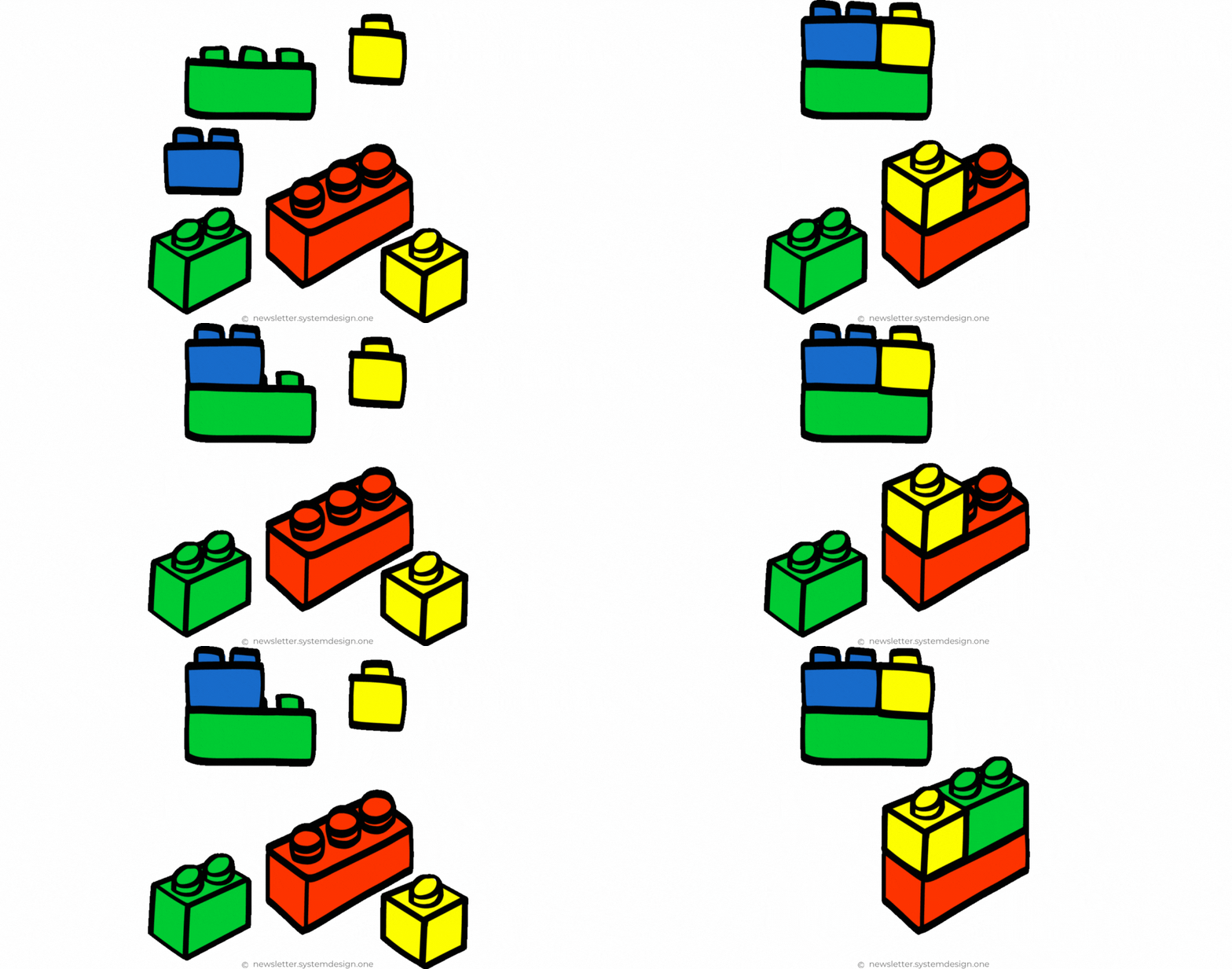
Stacked diffs work the same way for code.
Instead of one big pull request, you create a set of small changes that depend on each other. Here’s a simple comparison:
Small pull requests (diff) → LEGO layers
Boilerplate code → foundation
Business logic → walls
Edge cases → roof
Feature → house
So if you edit an earlier diff to address feedback, you’ll need to rebase the latest diffs that depend on it. Otherwise, it’ll reference the old version of that commit and won’t apply cleanly on top of the new version. Put simply, there’ll be conflicts.
How Do We Handle These Stacked Diffs?
Stacked diffs improve engineers’ productivity. But it can be painful when diffs depend on each other.
Imagine diff1 needs many changes after review.
Now, you must also update diff2 and diff3, which depend on diff1, to include those new changes.
To do this, you’ve got to use git rebase, which replays your commits so everything aligns correctly.
But if the new version of diff1 conflicts with diff2, then you’ll need to pick manually which parts of the code to keep.
And this could turn into a time sink!
So we need an automation tool for this - Graphite. It makes the workflow easier by:
Hiding Git complexity from engineers.
Tracking GitHub pull requests related to each diff.
Saving the order of diffs in the stack (which depends on what).
Automatically rebasing all dependent diffs if something changes on an earlier diff.
Inserting a diff between existing diffs. Or changing the order of diffs without manual work.
Think of Graphite like Git on steroids to work with stacked diffs. It removes the manual work of rebasing and merging and maximizes engineering productivity.
But even with Graphite handling stacks and rebases, reviews still take time. You’ve got to explain changes, address feedback, and update pull requests.
That’s where GRAPHITE AGENT comes in.
It’s a unified AI reviewer that explains what changed, suggests fixes, and updates your pull requests in real time (without switching between tools).
With Graphite Agent, you can:
Apply or generate fixes instantly
Merge confidently with full context
Ask questions about your code directly in the pull request
Together, Graphite and Graphite Agent automate both sides of the workflow: the Git and review side. So you can write, review, and merge faster with less context switching.
Stacked Diffs: Real Applications You Use Daily
Building a Feature
Instead of making a big code change, break it into smaller diffs.
Each diff adds part of the functionality, making it easier to review and test.
You can keep working on the next part without waiting for the earlier parts to be merged.
Refactoring Code
Break large refactoring into logical chunks.
For example, create a diff to add a new interface.
Then use separate diffs to refactor different modules.
This keeps each diff focused and easy to test and review.
Updating Many Files
Some updates, such as renaming an API, touch many files.
And you can update each component in separate diffs.
This reduces the chance of mistakes during reviews.
Adding Tests
You can put code changes and tests in separate diffs.
This keeps diffs smaller and makes reviews easier.
Bug Fixing
Imagine you discover a bug while a feature is still under review.
You don’t have to update existing changes; instead, create a new diff on top of the current stack to fix the bug.
This approach increases code review velocity and lets you stay unblocked.
Also stacked diffs let you manage big pull requests with AI-GENERATED code by breaking them into smaller changes.
Why Not Just Use Pull Request Workflow?
It’s sometimes acceptable to open many pull requests and wait for code review.
Yet it doesn’t work well when pull requests depend on one another. You’re then blocked on the dependent pull request until someone reviews the first pull request.
Plus, the local repository has to look similar to the remote. It means more context switching and less productivity. So the pull request workflow is inefficient.
But with stacked diffs:
Easy to write code. Easy to review. Easy to revert.
You can choose how to organize work for flexibility.
And protect your coding streaks for higher productivity.
Keep the Git history quality high and make debugging easier.
Both workflows are productive. Yet stacked diffs make development faster by adapting to how the engineer actually works. It doesn’t force an inflexible workflow.
Remember, context switching is the worst productivity killer for engineers. Stacked diffs reduce it, while the pull request workflow amplifies it.
Stacked Diffs With Graphite (Simplified)
Switch to the main branch and pull the latest changes.
Use Graphite’s CLI to create a new branch for the first part (diff) of the feature.
Create new branches on top of the previous branches for each part of the feature.
Push each branch to the remote and open a pull request for that diff. (Graphite can even submit the entire stack of branches as separate pull requests with a single command.)
Update the diff after review. Then Graphite will AUTOMATICALLY rebase the remaining branches if you changed a lower diff.
Merge each diff’s pull request into the main branch once approved.
Graphite can even delete the merged feature branches and update your local main branch.
Imagine Graphite as a super smart partner who understands what adjustments to make for maximum productivity. And think of Graphite Agent as a team member who reviews your code in real time, explaining and fixing as you go.
Subscribe to get simplified case studies delivered straight to your inbox:

Want to advertise in this newsletter? 📰
If your company wants to reach a 180K+ tech audience, advertise with me.
Thank you for supporting this newsletter.
You are now 180,001+ readers strong, very close to 181k. Let’s try to get 181k readers by 31 October. Consider sharing this post with your friends and get rewards.
Y’all are the best.

https://graphite.dev/guides
https://www.stacking.dev
GitHub uses branches as the unit of code review.
Rebasing means taking your commits and replaying them on top of another branch, so your branch includes the latest changes, and the commit history stays clean and linear.
Squashing means combining many commits into a single one. It simplifies history before merging, so all related changes appear as one clean, unified commit.
Avoid vague commit messages like ‘fix bugs, update code, misc changes, final commit, wip’.
It becomes hard to bisect (debug), trace blame, and understand old changes.
This is spot on, Neo.
Once you start shipping in stacked diffs, it’s hard to go back to massive PRs.
The challenge is keeping the stack manageable when early diffs change, but the payoff is huge.
is there any way to break a complete PR to smaller PRs , other than copy pasting to new branches?