



Share this post & I'll send you some rewards for the referrals.
Computer Science is frequently taught like a collection of disconnected facts, when it should be a stack of ideas, layered on top of each other.
We are going to fix it by taking a visual journey through the entire Computer science stack using simple diagrams that create mental models that hopefully stay with you throughout your career.
Let’s dive in!
AI code review with your team’s knowledge (Partner)

Unblocked is the only AI code review tool that has a deep understanding of your codebase, docs, and past decisions, giving you thoughtful feedback that feels like it came from your best engineer.
I want to reintroduce Ashish Bamania as a guest author.

He’s a self-taught software engineer and an emergency physician. He is also the editor and primary author of the newsletters Into AI and Into Quantum.
If you’re getting started with Computer Science and Systems Design, I highly recommend getting his books: Systems Design In 100 Images and Computer Science In 100 Images.
They will help you learn and understand the fundamentals quickly and easily.
(You’ll also get a 20% discount when you use the code: NEO20.)
1. Logic Gates
At the very bottom of every computer you operate is something surprisingly simple.
It’s a switch with two states: on and off.
In a computer, a Transistor acts as a tiny electronic switch that can switch on and off billions of times per second, depending on whether current is flowing through it.
These two states represent binary information where the ‘on’ state represents a binary 1, while the ‘off’ state represents a binary 0.
Multiple transistors are put together to create Logic gates. These are circuits that perform basic Boolean operations on binary inputs and produce a single binary output.
There are seven basic logic gates:
AND gate: Outputs 1 only when all inputs are 1
OR gate: Outputs 1 if at least one input is 1
NOT gate: Inverts the input signal (outputs 1 for 0 and 0 for 1)
NAND or NOT-AND gate: Outputs 0 only when all inputs are 1 (inverse of AND gate operation)
NOR or NOT-OR gate: Outputs 1 only when all inputs are 0 (inverse of OR gate operation)
XOR or Exclusive OR gate: Outputs 1 when inputs are different
XNOR or Exclusive NOR gate: Outputs 1 when inputs are the same
A Buffer gate is used with these gates; it takes an input and outputs it unchanged. It is used for signal amplification or isolation.
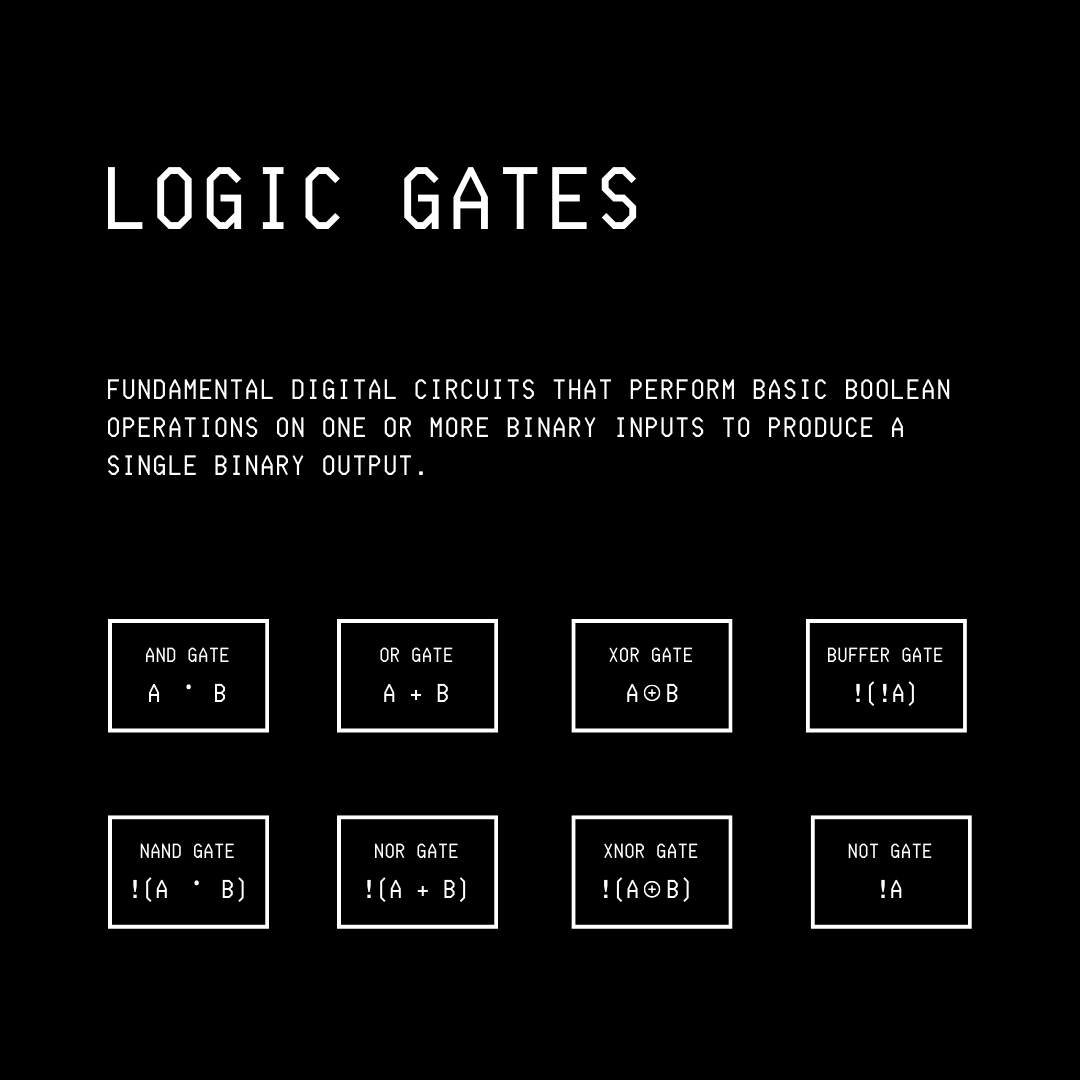
Logic gates are further combined and integrated onto a single chip (Integrated Circuit, or IC) to perform more complex functions.
A Universal logic gate is one that can be used to construct any other logic gate.
Two logic gates belong to this category:
NAND gate
NOR gate
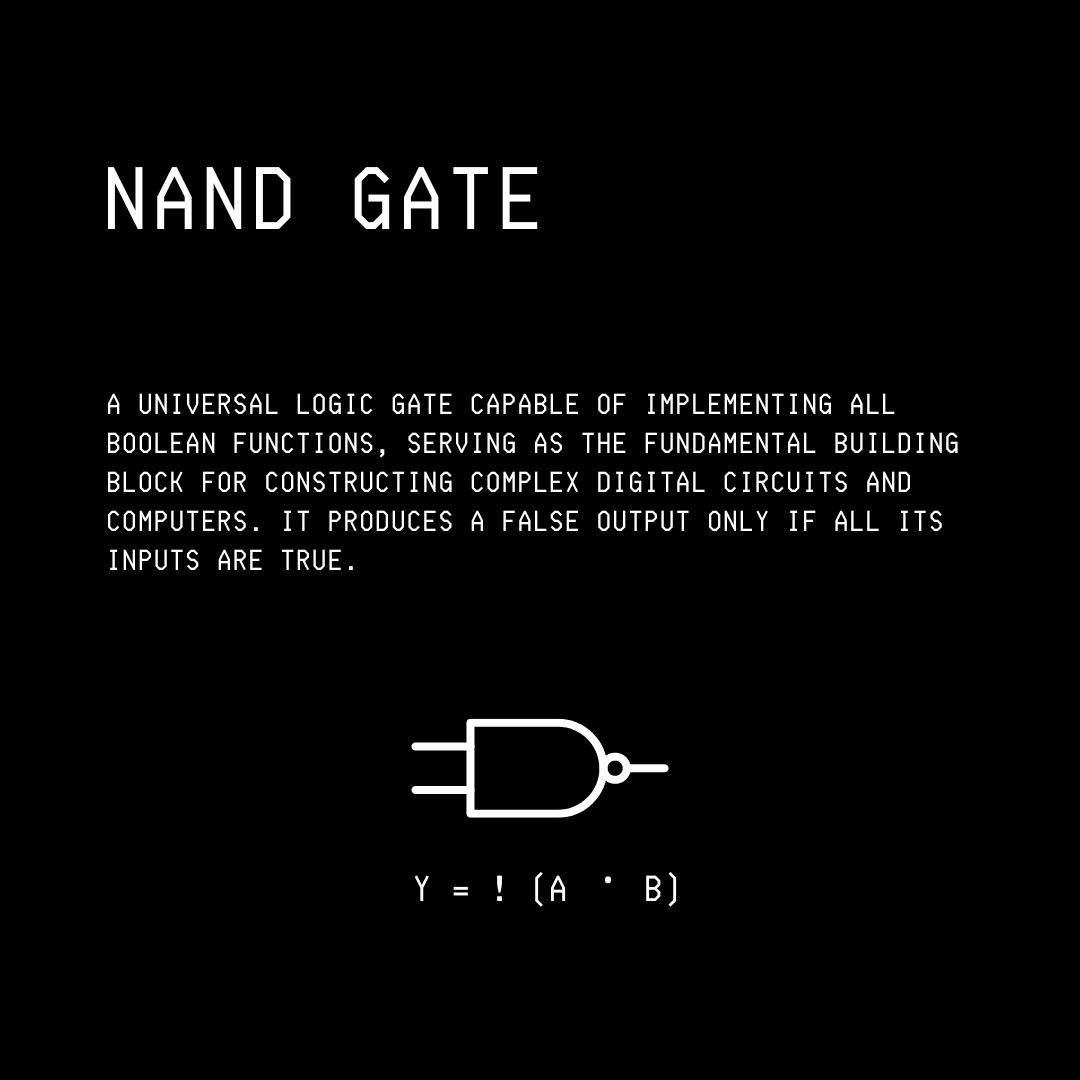
This means that any computer, regardless of how complex, can be built using only these gates.
Isn’t that crazy?
A fun fact: The Apollo Guidance Computer (AGC), used to navigate Apollo missions to the Moon, was built almost entirely from simple 3‑input NOR‑gate ICs.
2. The Central Processing Unit (CPU)
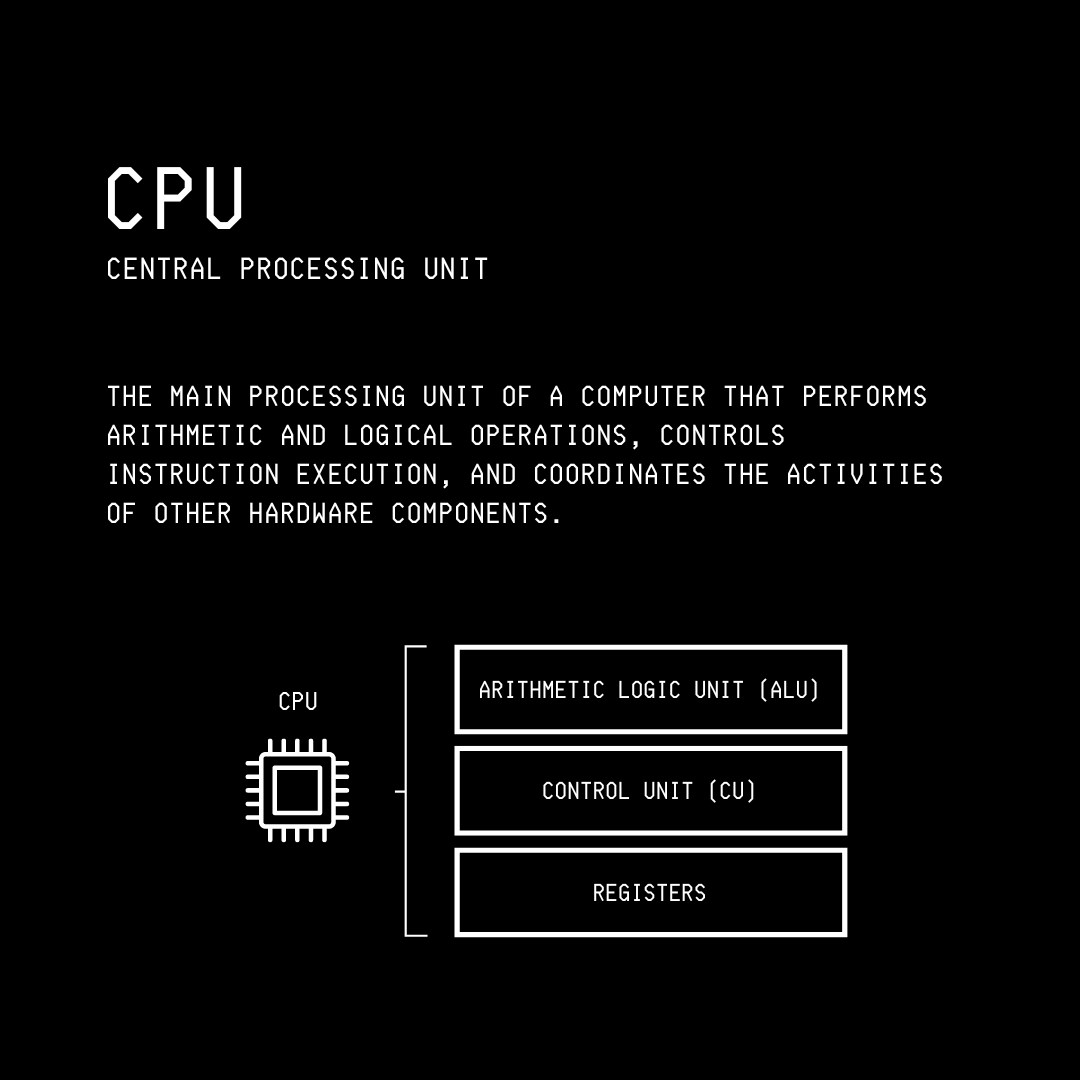
The Central Processing Unit (CPU) of a computer is built by combining logic-gate-implementing ICs.
It consists of:
Arithmetic Logic Unit (ALU), which performs mathematical operations (addition, subtraction, multiplication) and logical comparisons (equal to, greater than, less than).
Registers, which are small, ultra-fast memory components built directly into the CPU that hold data mid-calculation and track which instruction to execute next
Control Unit (CU), which acts as an orchestrator that fetches instructions from memory, decodes them, and coordinates data flow between the ALU, registers, and external memory.
A CPU can execute billions of instructions per second using these components and acts as a computer’s brain.
3. Turing Machine
Before we move on to the other layers on top of the physical one (hardware), we need to understand what computation means in theory.
In 1936, Alan Turing described a theoretical machine, called the Turing Machine, which consists of:
an infinite tape divided into cells, each holding a symbol
a read/write head that moves along the tape, and
a set of rules that determines the machine’s behavior based on its current state and the symbol being read
Although purely theoretical (since no physical tape is infinite), the concept of a Turing machine tells us that any complex problem can be solved through a sequence of logical operations.
Furthermore, the Church-Turing thesis states that any problem that can be computed can be computed by a Turing machine and, by extension, any general-purpose computer can solve it given enough time and memory.
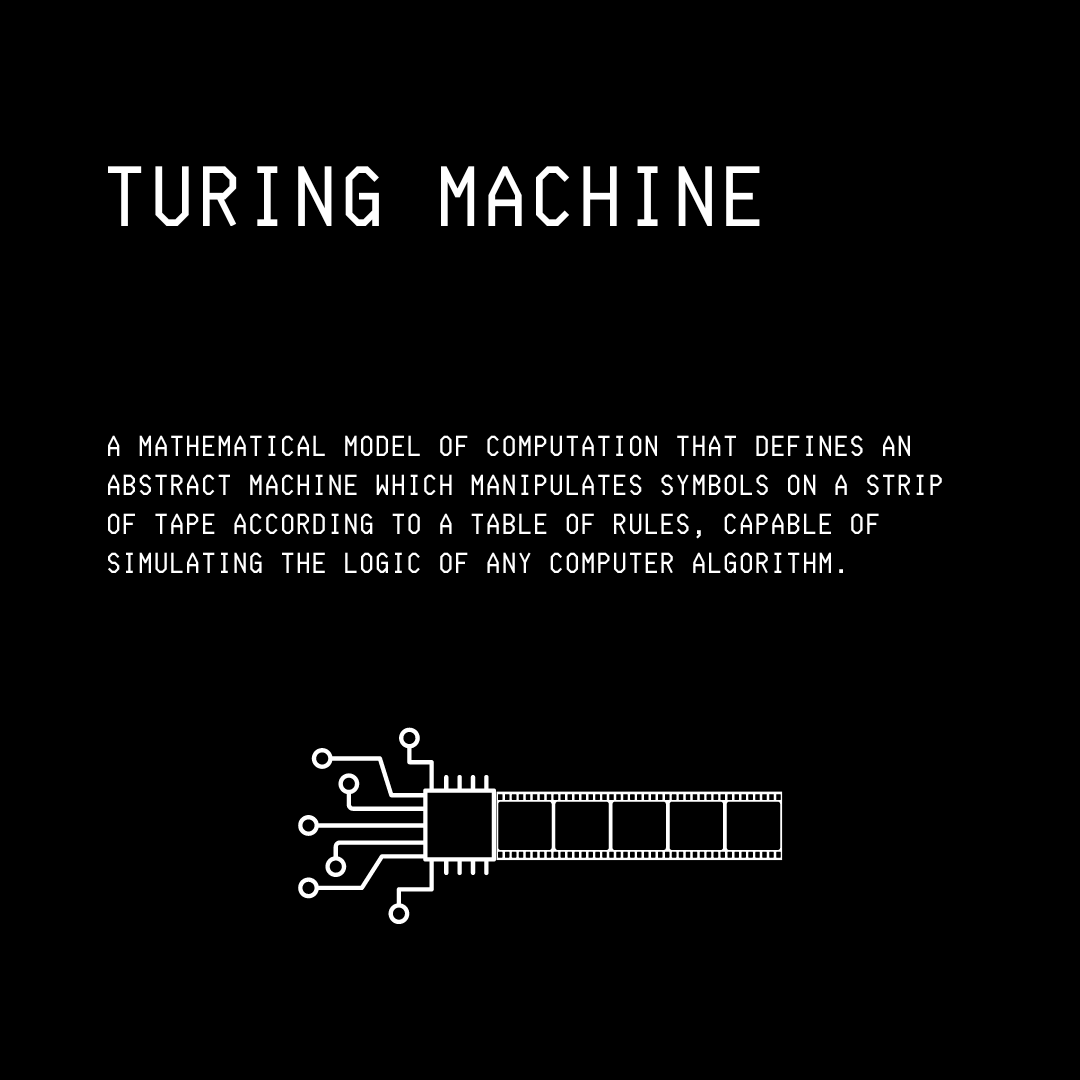
Every modern computer is essentially a practical, finite version of the Turing Machine.
4. Programming Languages, Compilers & Interpreters
Since working directly with binary information is tough, additional abstractions are built on top in the form of programming languages.
These languages are translated into binary machine instructions that a CPU can execute. This is done using programs called Compilers and Interpreters.
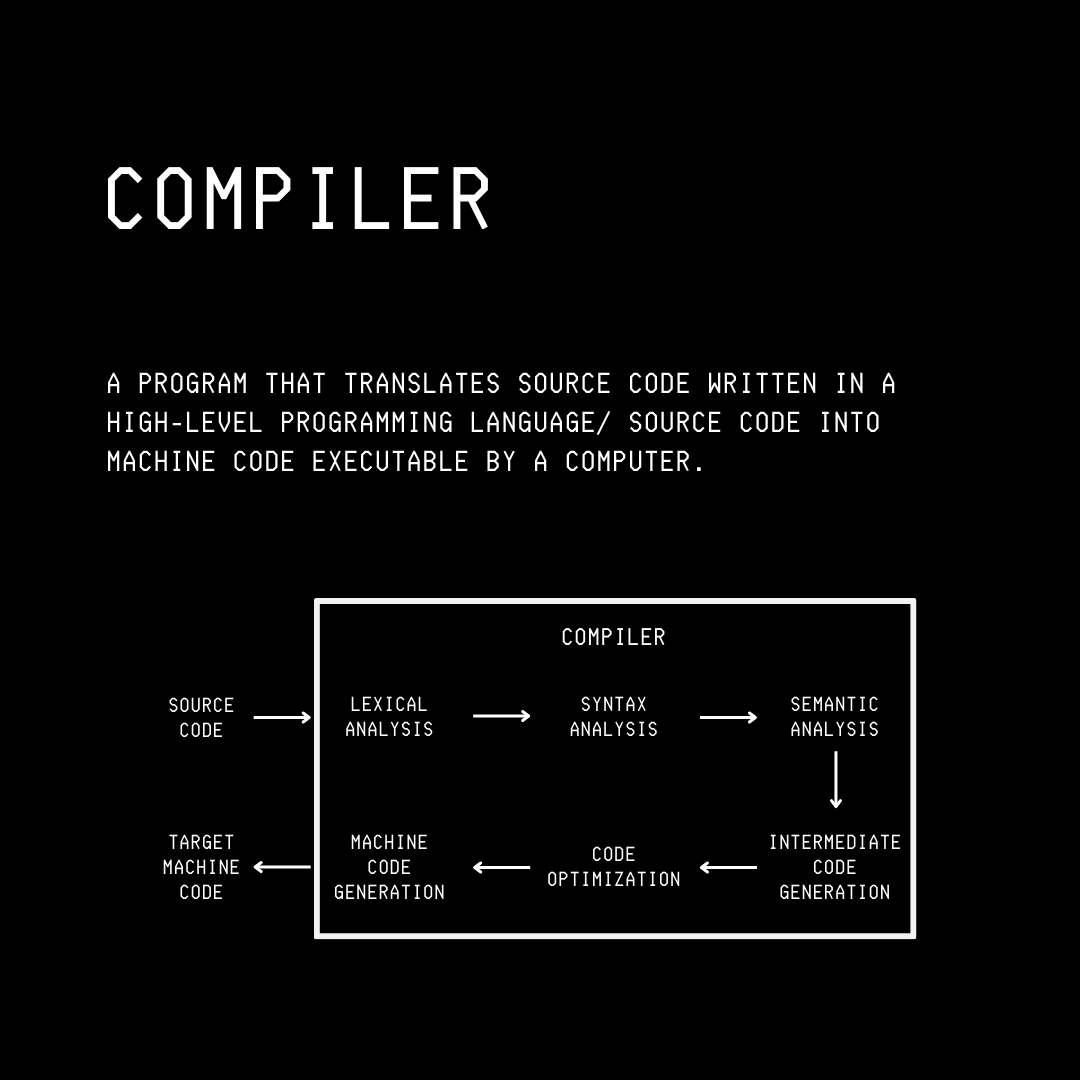
A Compiler translates the entire source code of a programming language into a binary executable that the CPU can run directly. Some examples of compiled languages are C, C++, Rust, and Go.
These produce fast executables because translation occurs once before runtime, but as a caveat, one must recompile their code for each platform (Windows, Mac, Linux) and recompile after every code change.
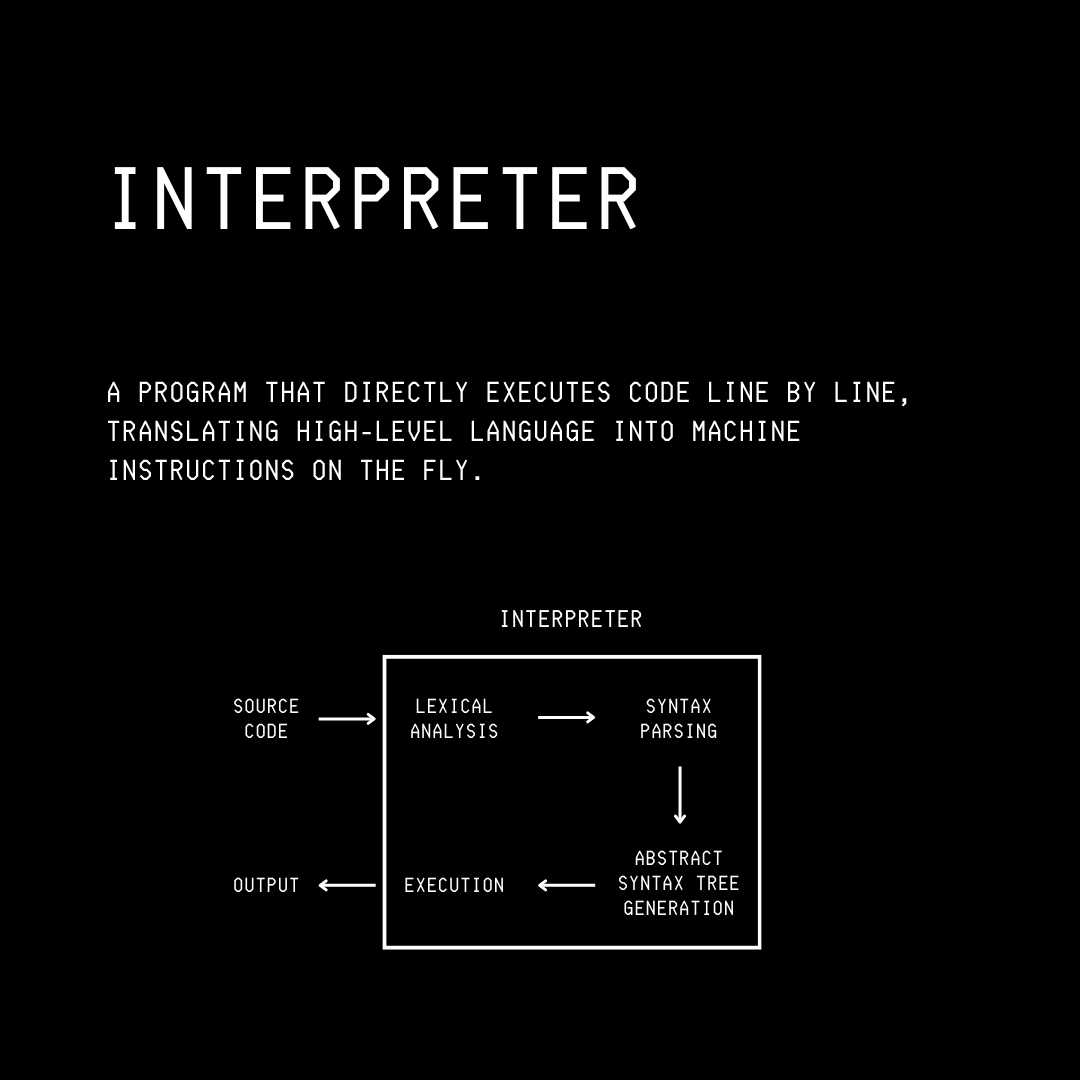
Interpreters work differently from this. They read source code, parse it, and execute instructions on the fly without producing a separate executable.
This allows immediate code execution, with the same code running everywhere. The trade-off is that they are typically slower than compiled code because translation happens during execution.
Some examples of interpreted languages are Python, JavaScript, and Ruby.
5. Data Structures
Data structures are ways of organizing data so that programs can use it efficiently.
Some of the most important data structures that you must know about are: